Get a little more iron in your diet: http://try-catch-finally.com/2011/03/31/i-am-iron-dude/.
Month: March 2011
Try Catch Finally #15 Posted
Remember to keep your software current: http://try-catch-finally.com/2011/03/24/end-of-line-in-543/
Try Catch Finally #14 Posted
I’ll let you be the judge: http://try-catch-finally.com/2011/03/17/dredds-last-computer-class/
Try Catch Finally License modification
Just a quick note – I modified the Creative Commons license that I’m using for Try Catch Finally.
Try Catch Finally gets a new home
I’ve established a separate blog for the comic series at http://Try-Catch-Finally.com, and as a result today’s installment will be the last one published here. I’ve also gone back and republished all of the older comics as well, so the new site will have the complete series.
Enjoy!
Try Catch Finally – Welcome to the real world.

Movie Inspiration: http://www.imdb.com/title/tt0133093/
Try Catch Finally – Cheat Code
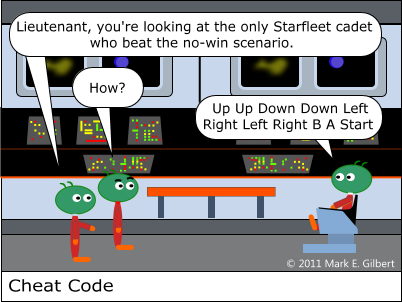
Movie Inspiration: http://www.imdb.com/title/tt0084726/
Making sense on many levels – ASP.NET MVC 2 and Model-Level Error Reporting
In the previous episode of “Mark and the Chartreuse-Field Project”, Mark was working to get site-wide error reporting up and running. Today, Mark tackles model-level error reporting. Let’s tune in and see how he’s doing.
***
Early on in this project I learned how to associate a custom error message with a specific form field:
ViewData.ModelState.AddModelError("MyField", "My custom error message here")
That allowed the out-of-the-box validation messaging to highlight the offending field and display the message right next to it:
<%=Html.ValidationMessageFor(Function(model) model.MyField)%>
However, today I ran into a situation where I needed to be able to display a custom message that applied to the entire page, not a specific field. There was a validation summary control at the top of the page already:
<%= Html.ValidationSummary(True) %>
My first thought was to associate the custom message with that control so it would appear there. Following the pattern to associate a message with a specific field, my first attempt at code-roulette looked like this:
ViewData.ModelState.AddModelError("", "My custom error message here")
I then threw a dummy exception in the middle of one of my controller actions to force an error to appear. No dice – the error was simply swallowed by the page. I did some searching and came across a post (http://stackoverflow.com/questions/4017827/manually-adding-text-to-html-validationsummary) that mentioned using an asterisk as the field name to get the message to show up in the validation summary:
ViewData.ModelState.AddModelError("*", "My custom error message here")
Still no dice. Ok, time to back up a minute. Was my custom error even making it into the ModelState object? I put a breakpoint on the line immediately after AddModelError, and inspected the ViewData.ModelState.Keys property:
(0): "id"
(1): "CurrentEvent.Title"
…
(17): "*"
So, if the error is getting added to the ModelState correctly, then why isn’t it showing up? The answer came in two parts. First, I was passing a “True” to Html.ValidationSummary. This was configuring the control to not display messages that were tied to a field (the actual parameter name here is “excludePropertyErrors”). My asterisk was being treated like another field name – one that didn’t match a field-level validation control – and was therefore being excluded by the validation summary control. Second, a post from the ASP.NET forums (http://forums.asp.net/p/1628537/4193163.aspx) suggested that displaying model-level errors were not possible in MVC 2, and apparently were in MVC 3. Upgrading wasn’t an option for me, so I needed to find another way.
What if I were to create a new model property called ErrorMessage, and then associate the custom messages with THAT field? Then, I would just need to add a validation control for that field to my view. I added the property, “ErrorMessage”, to my model and modified my AddModelError call like so:
ViewData.ModelState.AddModelError("ErrorMessage", "My custom error message here")
Then I added a Html.ValidationMessageFor control to my view, and tied it to this new property:
<%=Html.ValidationMessageFor(Function(model) model.ErrorMessage)%>
And voila! Model-level errors in MVC 2!
 Mark Gilbert's Blog